Originals backed up before a byte is touched, on by default

Lighter WordPress images. Every original kept.

Downsize finds the heavy images on your site, shrinks them safely, and keeps every original one click from coming back.

Start free No credit card required
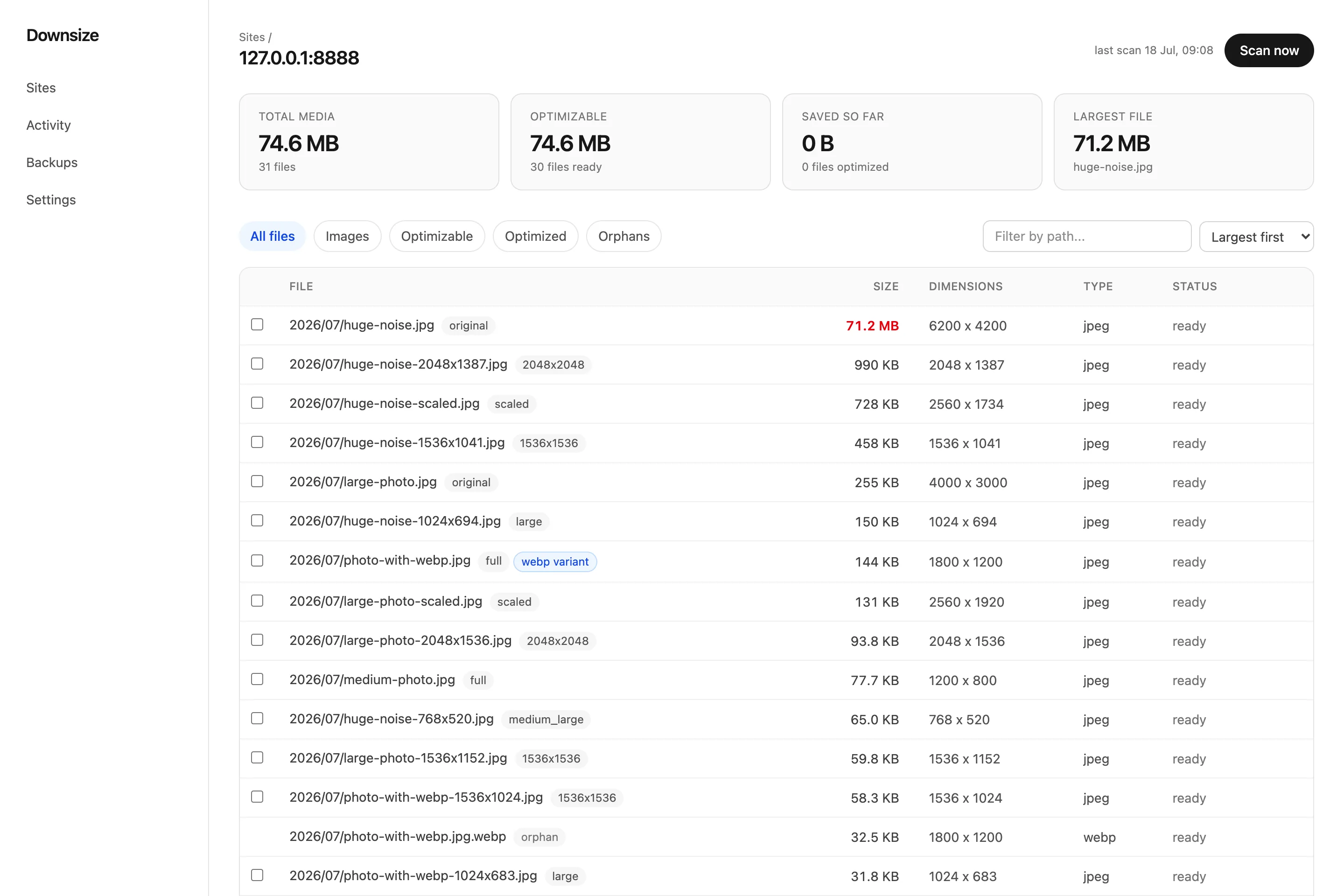
The Downsize dashboard listing every image on a WordPress site by real size, with a 71.2 MB image flagged at the top.
71.2 MB
before
14.9 MB
after · original safe

Built on infrastructure you already trust

Why Downsize

Why sites choose Downsize

Because years of uploads quietly pile up, and cleaning them up should not be a leap of faith.

Library weight
huge-noise.jpg71.2 MB
hero-2019.jpg37.1 MB
team-photo.png22.0 MB
banner.jpg12.8 MB

The scan sorts every image by real size on disk, heaviest first.

After one optimization
79% lighter
71.2 MB → 14.9 MB on a real photo, dimensions unchanged
Original backed up

Measured on a live WordPress site, not a demo fixture.

If you ever change your mind
1 click to restore
The exact original comes back, verified byte for byte
Works even offline

Backups live on your server, with optional off-site copies.

Inside the dashboard

See exactly what you get

A tour of the four screens you will actually use, captured from the real product.

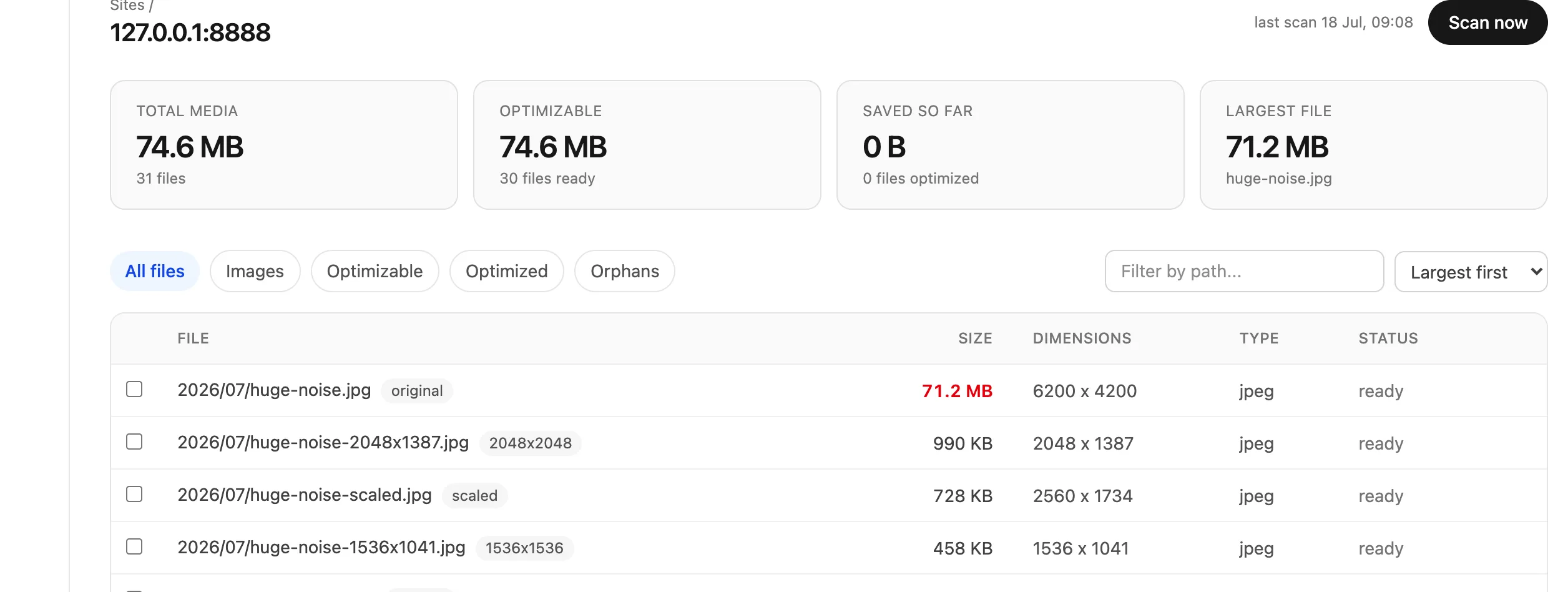
Site overview

Connect a site and the first scan fills this in: total image weight, how much is optimizable, savings so far, and your largest image. It even names the single biggest file on your whole site, image or not, so you always know where the weight is.

Site overview with total images, optimizable bytes, savings so far, and the largest image, above the image list.

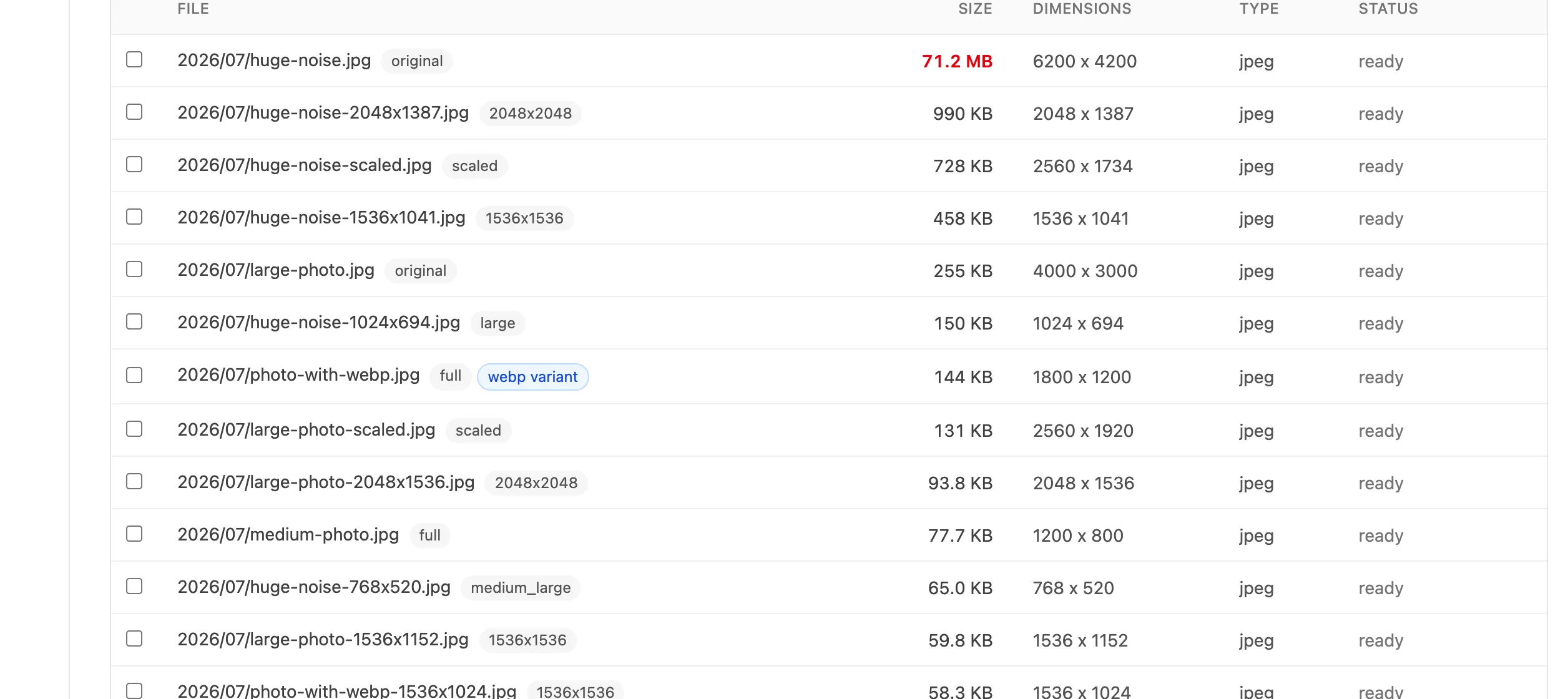
Your images

Every image with its real size, dimensions, type, and status. The list is images only, because images are all we optimize. Sort by largest first, filter to what is optimizable, select a batch, and start it. Images that should be left alone, like animated GIFs or offloaded ones, are flagged and skipped.

The image list sorted largest first, with per-image size, dimensions, type, and status columns and batch selection.

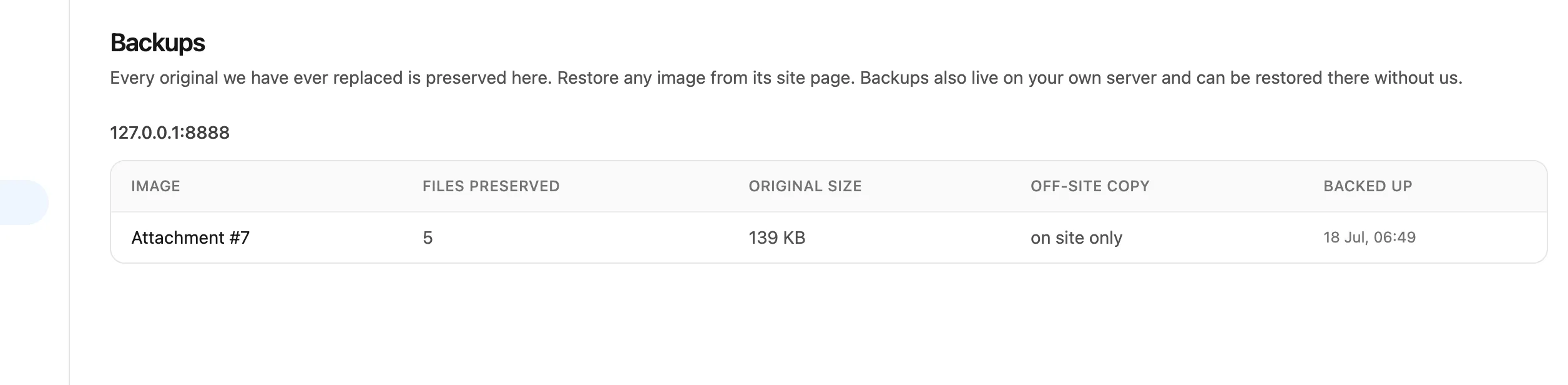
Backups browser

Every original Downsize has ever replaced, preserved and listed here. Restore any image from its site page. Backups also live on your own server, so they can be restored there even without us.

The backups browser listing preserved originals with their sizes and off-site copy status.

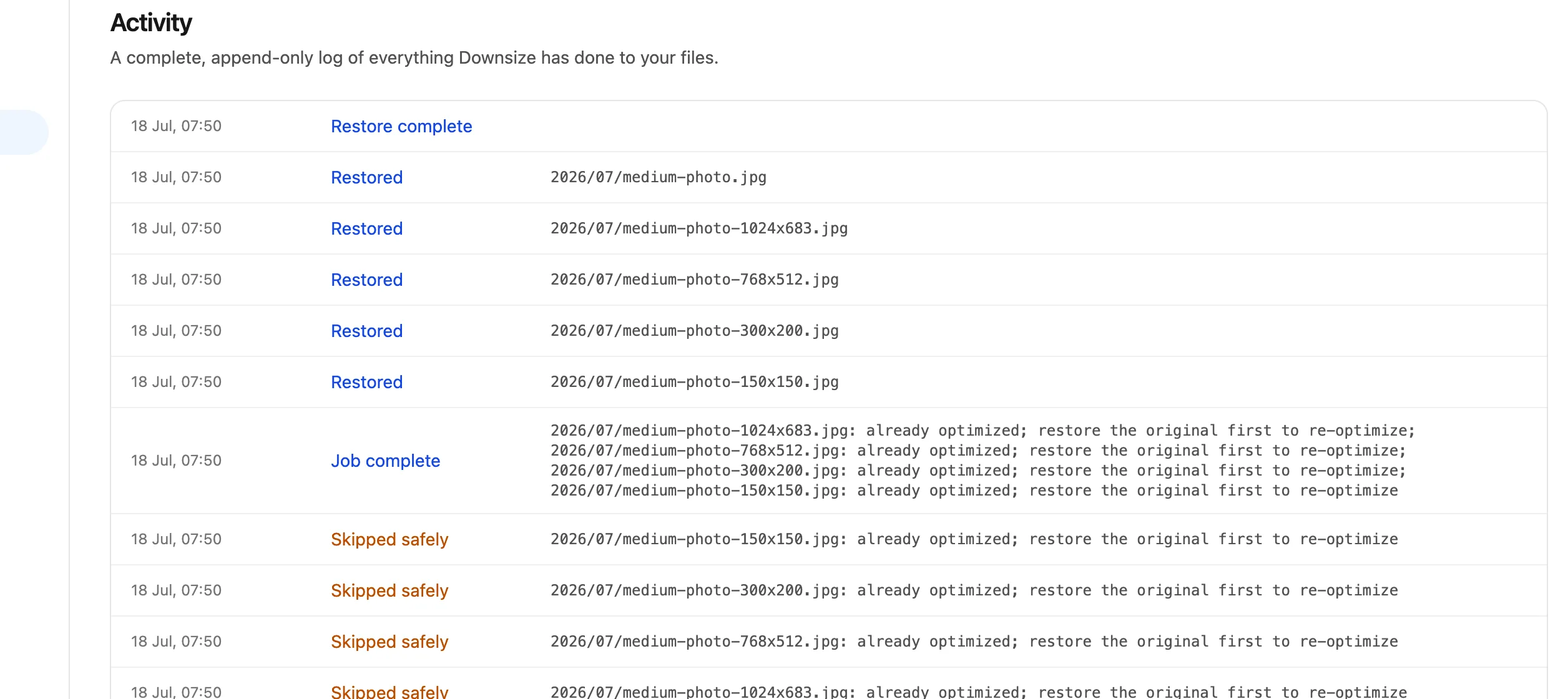
Activity log

A plain-language audit trail of everything Downsize did: what was scanned, what was optimized, what was backed up, what was restored, and when. No mystery actions, ever.

The activity log showing scans, optimizations, backups, and restores with timestamps.
The safety system

What's inside Downsize?

Every optimization runs through the same protective pipeline. Backups are on by default, and the verification steps can never be skipped.

Backup-first pipeline

On by default: the original is copied to a protected folder and checksum-verified before any byte of the live file changes. Opting out is explicit, per batch.

Atomic replacement

The smaller file is written next to the original, verified, then swapped in with one atomic rename. No half-written files.

Four checksum gates

Live file, backup copy, staged file, and the final result are all hash-verified. Any mismatch stops the job safely.

One-click restore

Bring back the exact original from the dashboard, per file or per batch, on-site first with off-site fallback.

Offline restore

The backup manifest lives on your server. Restore from your own wp-admin even if Downsize is unreachable.

Signed connector

Your site and Downsize talk over a signed, replay-proof channel scoped to the uploads folder. No WordPress passwords involved.

Proof, not promises

Real numbers from a real site

This is the measured result of one optimization on a live WordPress site, followed by a full restore.

huge-noise.jpg6200 x 4200 · JPEG
71.2 MB 14.9 MB

79% lighter. Same URL, same dimensions, no layout shift. The original was restored afterwards and matched byte for byte.

79%smaller after one pass, with pixel dimensions untouched
1:1restored file matched the original hash exactly
0originals lost: with backups on, nothing is overwritten before the copy is verified
Built to be trusted

Careful by construction

No fine print. These are properties of how Downsize works, not marketing claims.

79%
lighter on the heaviest real photo we tested, with dimensions unchanged
Restores are byte-identical. Every backup is checksum-verified, and a restore has to match the original hash exactly.
Verified on a live site, including offline restore from wp-admin.
Same URLs. Same dimensions. No layout shift.
Optimization never changes pixel size or file paths, so page builders, srcset, and hardcoded embeds keep working.
Works without us
Backups and the restore manifest live on your server. If Downsize disappears tomorrow, your originals do not.
Pricing

Simple plans, unlimited websites

Connect as many sites as you like on every plan. You only pay for how much image data you optimize.

Monthly Yearly 2 months free

Free

$0 /month
free forever
20 MB /month
Sign up, it's free
What do you get:
  • 20 MB of image optimization a month
  • Unlimited websites
  • Full safety system: backups and restore

Plus

$5.99$4.99 /month
billed monthly$59.90 a year, 2 months free
500 MB /month
Get started
What do you get:
  • 500 MB of image optimization a month
  • Unlimited websites
  • Unlimited upload size
FAQ

Frequently asked questions

The honest answers, including the boring safety details.

Yes, and not as a promise but as a mechanism. With backups on (the default), the original is copied to a protected folder on your own server and checksum-verified before any file is touched. The replacement is then staged, verified, and swapped in atomically, and if any check fails the job stops with your live file untouched. You can switch the backup off for a batch; Downsize warns you clearly that restore will not be possible for those images.

Restore it. One click brings back the exact original, per image or in batches, from the dashboard or straight from wp-admin. Every restore is verified against the original file hash, so what comes back is byte-identical. This needs the image’s backup to still exist, which is why backups are on by default.

No. Optimization keeps the same file path and the same pixel dimensions. Page builders, srcset variants, and hardcoded embeds keep working, and there is no layout shift.

JPEG, PNG, WebP, and static GIF images in your media library, up to 35 MB each, including thumbnails and scaled versions. That 35 MB ceiling is Imagify's per-image limit, so any image 35 MB or larger is left alone. It also deliberately skips what it should not touch: animated GIFs, files managed by offload plugins, and anything outside the uploads folder.

Yes. Backups and their manifest live on your server, and the connector plugin has its own restore screen in wp-admin. It works even with no connection to us at all.

No. You install a small connector plugin and pair it with a one-time code. After that, your site and Downsize communicate over a signed, replay-protected channel that is scoped to image operations only.

Find out how heavy your site really is.

Connect a site, run a scan, and see every original size in a couple of minutes. The first optimizations are free.

Start free No credit card required